
Epson XP-6005 Ink Cartridges
-
off the 2nd item

 €17,49 off
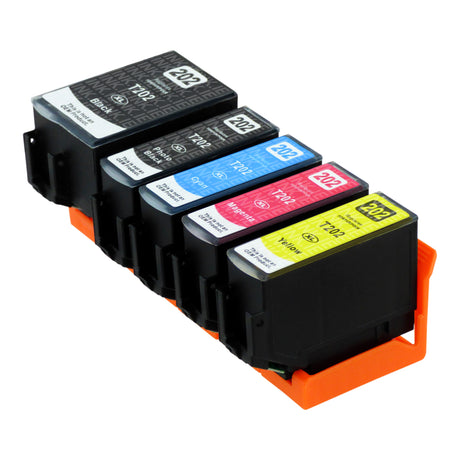
Compatible Epson 202XL (T02G7) High Capacity Ink Cartridge Multipack Including Photo Black for Epson XP-6005
€34,99€43,74Unit price /Unavailable -
€7,49 off
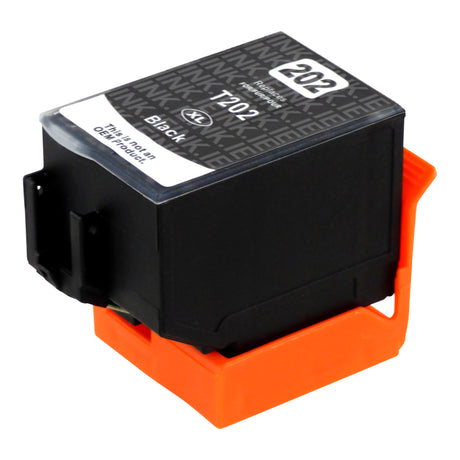
Compatible Epson 202XL (T02G1) Black Ink Cartridge for Epson XP-6005
€14,99€18,74Unit price /Unavailable -

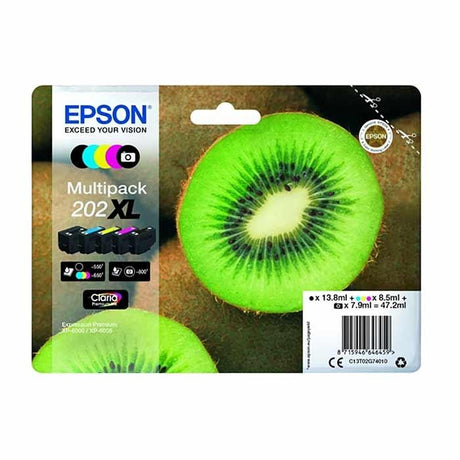
Original Epson 202XL Ink Cartridge Multipack for Epson XP-6005
Unavailable
What ink does the Epson XP-6005 take?
To keep the Epson XP-6005 printing you need Epson 202 ink cartridges, which come in black, cyan, magenta, yellow and photo black. On the shelf, Epson's packs are easiest to tell apart by their pictures: the XP-6005 takes the Kiwi pack.
The same printer is often written XP 6005, XP6005 or Epson 6005.
Our ink for your Epson XP-6005
We stock the XL high-capacity version only, with a lifetime guarantee on every cartridge. An XL cartridge is the same shape as the standard one, so it clicks into the XP-6005 just the same; it simply carries more ink. Buy one multipack and the second is half price. If black is all you need, the black cartridge comes on its own too.
How do you check the nozzles on your Epson XP-6005?
From the display, open Maintenance and then Print Head Nozzle Check. Ink levels sit under Settings and then Supply Status.
How do you clean the print head on your Epson XP-6005?
Gaps in the pattern? Accept the cleaning offered as the check ends. Epson suggests about three cleans and then at least six hours switched off. A new black cartridge should be shaken before it is opened, and a cartridge put in the wrong slot brings up a recognition error.
These steps follow Epson's own manual for this series.